Advertising on Roku: Costs, Formats and Buying Options

Your CMO comes back from a planning session with one instruction: put Roku in the media plan. You open the platform expecting a rate card and find a self-serve tool with a budget field, a contact form for the sales team, and technical specs that assume you already know how connected TV ad serving works. The deck is due Friday, and someone in the room will ask what a Roku ad costs.
Here's the short version. The self-serve route publishes an entry point. The managed route publishes nothing at all. Everything else is matching the format to the job, checking that your creative will play, and being honest about what the reporting proves when the flight ends.
Table of Contents
Roku Advertising Routes and Minimums at a Glance - Where the published numbers stop - The three questions that pick your route
Where Roku Fits in Your CTV Budget - How the three inventory layers differ - The allocation trade-off
Roku Ad Formats From Standard Video to Home Screen Placements - Beyond the ad pod - Match the format to the job
Audience Targeting, Budgets and Pacing Decisions - What a narrow audience actually costs - Three pacing choices - The minimum viable test
Creative Specs and Technical Requirements for Roku - What runs on Roku - What doesn't run at all - The four pre-launch checks
Measuring Roku Results Without Overclaiming Impact - The rule that settles conflicting dashboards
Roku Advertising Routes and Minimums at a Glance
Roku gives advertisers two doors into its inventory. Ads Manager is the self-serve door: you set the budget, pick the audience and pace the flight, and the platform runs delivery. The managed or direct door puts Roku or an authorized sales team between you and the inventory, coordinating commitments, custom formats and reporting on your behalf. The whole decision comes down to which door your campaign needs.
The distinction is operational. A self-serve advertiser works inside the standard workflow and sees only the placements that workflow exposes. A managed campaign can reach beyond them, including premium Home Screen products and custom sponsorship packages, and it pays for that access in coordination time on both sides.
The comparison below is the version worth bringing into the planning meeting.
Factor | Roku Ads Manager | Managed or direct buy |
|---|---|---|
Who runs the buy | The advertiser, through a self-service workflow | Roku or an authorized sales team |
Minimum spend | $500 lifetime budget | Quoted in writing by the sales team; no published figure |
Pricing | Dynamic CPM, billed on billable impressions | Negotiated with the sales team; no published rate |
Delivery control | Campaigns can be paused or extended after launch | Coordinated with the sales team |
Placements | Standard self-serve inventory | Premium Home Screen products and custom sponsorships |
Best fit | Small and midsize advertisers testing or scaling | Larger campaigns needing planning support, custom formats or negotiated measurement |
The self-serve terms in the table, including the $500 lifetime budget minimum and the managed-only placements in the rows below it, are set out in Adgeeks' guide to advertising on Roku. Managed pricing has no public rate card at all, so every figure in that column exists only once a sales team puts it in writing.
Where the published numbers stop
Self-serve is the only lane with public terms. The minimum is a lifetime budget rather than a daily cap, so the entire test sits inside one figure you control, and pricing runs as an auction rather than a card rate. That structure matters for planning: a small test does not drip out day by day, it spends against a single ceiling until you pause or extend it. Anyone quoting a managed minimum from memory is guessing.
The three questions that pick your route
Work through these in order. The first yes settles it.
Do you need a premium Home Screen placement or a sponsorship? Those sit in the managed lane, so wanting one ends the self-serve discussion before creative is even discussed.
Is your budget large enough that a sales team adds real value? Planning support and negotiated inventory cost coordination time on both sides, and at small budgets that overhead eats the advantage.
Do you need negotiated measurement or custom reporting? A bespoke reporting cut or an attached third-party study is a managed conversation by definition.
Three noes mean you start in Ads Manager with a test budget and learn from real delivery. Any yes means you open the conversation and ask for minimums, rates and reporting deliverables in writing. Smaller advertisers weighing the self-serve path can read Roku ads for small businesses for a plain walkthrough of what the workflow demands before launch day.
Where Roku Fits in Your CTV Budget
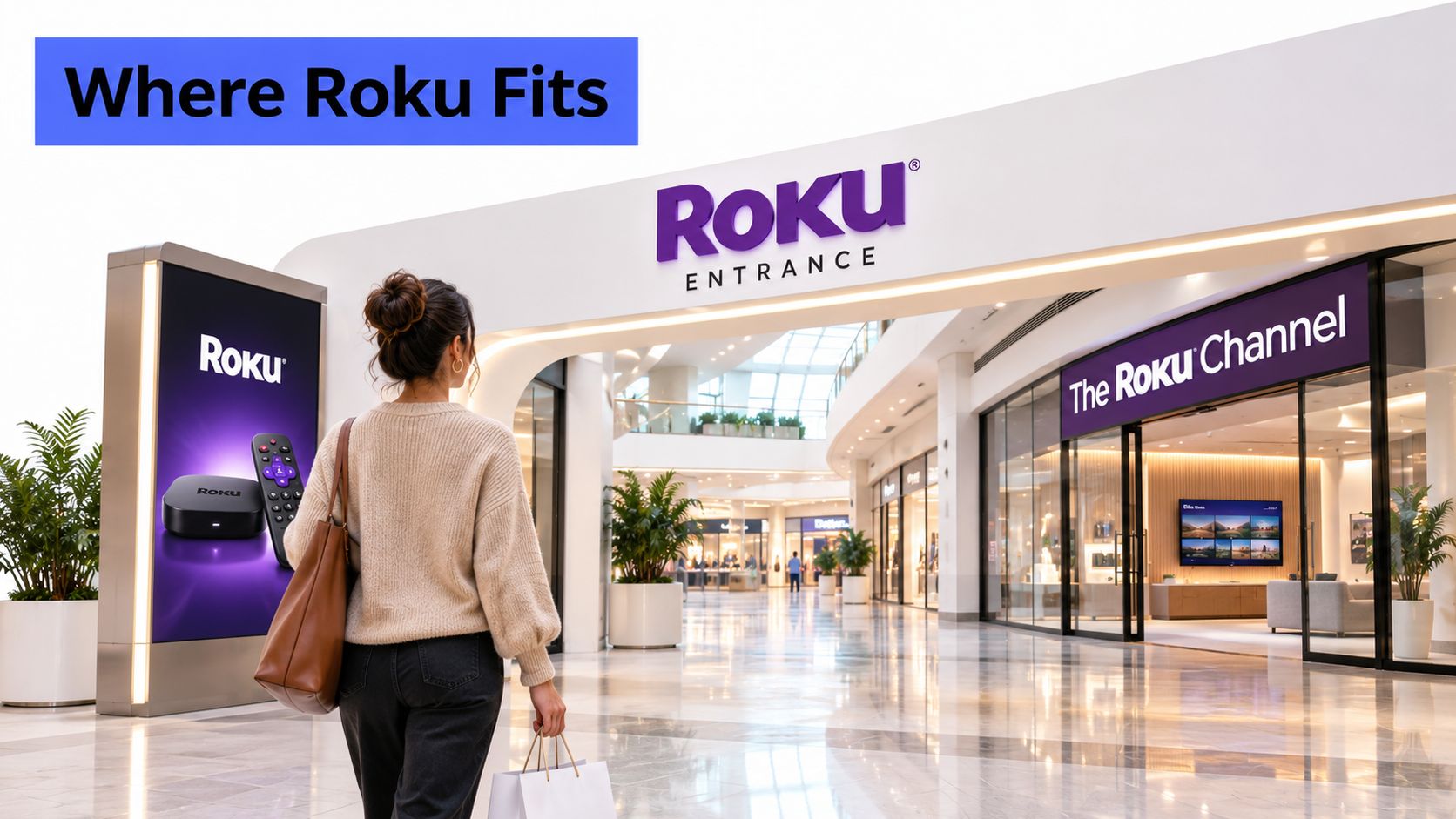
Think of Roku as the entrance hall of a shopping mall. The device and operating system bring people through the doors. The Roku Channel is a store the landlord runs itself. The other streaming apps on the home screen are tenants, and their inventory reaches Roku households through demand-side platforms rather than through Roku's own sales team.
That framing holds up better than most CTV metaphors, because it explains why the same household can be bought three different ways at three different prices.
The scale justifies a line in the plan. Roku reported 89.8 million active accounts in the fourth quarter of 2024, up 12.3% year over year, with users streaming an average of 253.7 minutes a day, according to Roku statistics compiled by ElectroIQ. The same reporting cites Nielsen's Gauge data ranking The Roku Channel as the number-two free, ad-supported streaming app, behind YouTube. Platform revenue includes advertising, content distribution and subscription economics, so read those figures as evidence of reach and engagement, not as an advertising revenue benchmark.
How the three inventory layers differ
Roku-owned inventory covers the Home Screen, screensaver and Ads Manager placements, bought directly from Roku. The Roku Channel is Roku's own ad-supported service, which sits inside the same buying tools but behaves like a publisher. Broader CTV supply is everything else reachable through partners, and it's where the ecosystem gets complicated.
Roku's platform revenue reached $4.15 billion for full-year 2025, up 18% year over year, and its expanded integrations with FreeWheel, Yahoo, The Trade Desk and Amazon DSP mean one Roku household can be bought through several paths, per Roku's fourth-quarter 2025 shareholder letter. More interoperable inventory access doesn't automatically mean deduplicated measurement across those paths, and that gap is where budgets leak.
The structure itself took years to build. Roku moved from streaming players into Roku-powered TVs, an operating system, The Roku Channel and advertising technology, acquiring the ad-tech firm dataxu in 2019 and launching OneView, a demand-side platform built for streaming television, in 2020, as Roku's company history records. The practical consequence for a planner is that advertising on Roku is never confined to ads inside one app.
The allocation trade-off
Concentrating spend on Roku simplifies activation and strengthens first-party audience signals, because you're buying inside one identity graph. It also concentrates frequency inside Roku households and leaves out viewers who stream on other devices. Neither outcome shows up in a report that only counts Roku exposures.
The question to answer before you budget: what share of your target CTV audience already watches on Roku? A meaningful share makes Roku a component of the plan. Most of them makes Roku the plan, and deduplication moves from platforms to formats.
Judging any of that needs clean on-site measurement, which is why CTV works better next to ad campaigns backed by accurate GA4 tracking than it does standing alone. And the creative has to travel: one master spot gets cut for a skippable YouTube pre-roll, a non-skippable Roku pod and a social feed, which is the everyday work of a video advertising agency.
Roku Ad Formats From Standard Video to Home Screen Placements
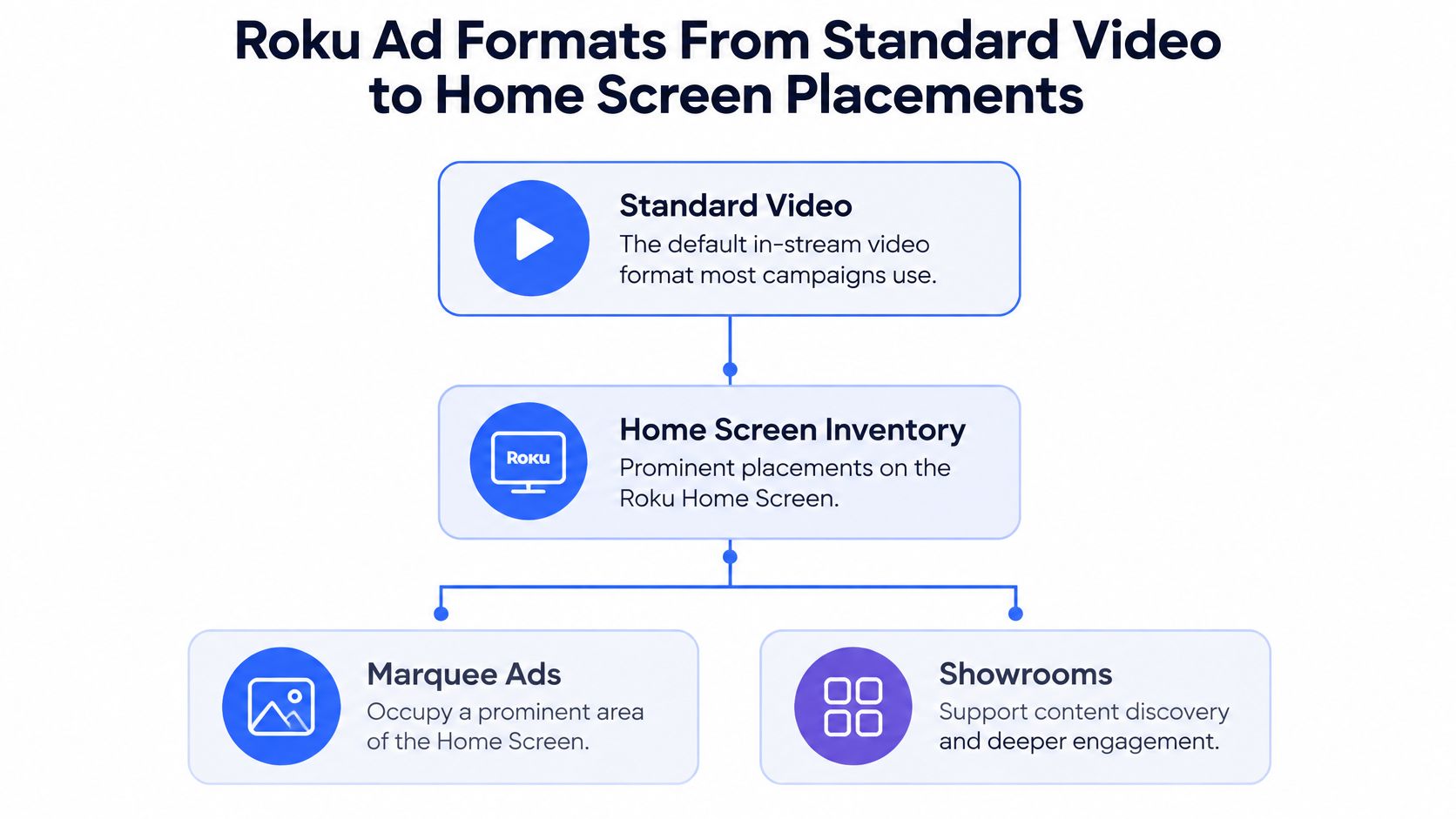
Standard in-stream video is the default, and most campaigns never leave it: a 15- or 30-second spot inside streamed content, non-skippable, tracked by impression and quartile. Everything else on the platform is a decision about where the viewer meets your brand and how much they can do about it in that moment.
Beyond the ad pod
Home Screen inventory is the layer advertisers underestimate. Marquee Ads occupy a prominent area of the Roku Home Screen, so the placement lands before a viewer has chosen what to watch. Showrooms support content or brand discovery inside the Roku interface, which makes them a browsing environment rather than an interruption. Screensaver placements run while the device idles and give passive exposure to whoever is in the room.
Roku also sells interactive units. Action Ads let viewers respond using the Roku remote, and Shoppable Ads use QR-code overlays or remote-triggered purchase flows, as Antebyte's Roku advertising overview describes. On the shoppable side, payment and shipping details can be pre-filled so the purchase completes without the viewer reaching for a phone.
Format | Where it appears | Viewer interaction | Best use |
|---|---|---|---|
Standard in-stream video | Within streamed content | Watches the ad | Reach and completed views |
Marquee Ads | Prominent area of the Home Screen | Sees the placement on the Home Screen | Brand visibility on the Home Screen |
Showrooms | Content or brand discovery inside the Roku interface | Browses the showroom | Discovery and consideration |
Screensaver placements | Device screensaver | Passive exposure | Always-on brand presence |
Action Ads | Interactive in-stream unit | Responds with the Roku remote | Engagement and response |
Shoppable Ads | QR-code overlay or remote-triggered flow | Scans a QR code or completes a purchase with the remote | Direct purchase or sign-up |
Match the format to the job
Awareness formats buy reach and completed views. Interactive formats buy response. Shoppable formats buy the transaction. Grouping them by what the viewer does rather than by what the format is called keeps the brief honest, because a Home Screen placement and a shoppable unit are solving different problems even when they carry the same product shot.
Premium Home Screen placements usually sit behind a managed buy, so a self-serve campaign that needs a Marquee has to change route before it changes creative. That's a planning constraint, not a creative one.
One caution. Interactive formats only work when the creative gives the remote press a reason. A viewer forty minutes into a series needs to understand what pressing OK delivers within the first few seconds of the spot. Run the response unit against a standard spot on the same audience before scaling, because remote interactions are easy to ask for and hard to earn.
Audience Targeting, Budgets and Pacing Decisions
The self-serve entry point is a lifetime budget of at least $500, according to a Creahive guide to Roku Ads Manager reporting the platform's stated requirement. Lifetime is the operative word. The figure covers the whole flight, so a small budget should run against fewer audiences and one clear objective rather than five segments that each get a trickle of impressions and no readable result.
Roku Ads Manager is a self-service CTV buying product with advanced targeting, conversion optimization, measurement and shoppable formats. Treat it as one pool of households inside a wider connected TV plan, because the same heavy streamer reachable through Roku is often reachable through your demand-side platform too. A frequency cap set only inside Roku does nothing about duplicate impressions arriving from other inventory sources, so plan the cap across the whole buy and let Roku's share sit inside it. That single decision prevents most over-delivery problems before they start.
What a narrow audience actually costs
Narrow targeting raises the cost of each impression, because the auction clears against a smaller pool of eligible households. Broad targeting does the opposite to price and the opposite to your frequency problem: cheap impressions, delivered to the same heavy streamers repeatedly.
Pricing is dynamic, so a rising CPM is a signal about how tightly you have targeted, not a fixed rate to accept or argue with. Roku charges on billable impressions rather than on ads that didn't run, and campaigns can be paused or extended after launch, so delivery control continues past the booking stage.
Three pacing choices
Front-load for a launch. Push most of the budget into the opening days to sit alongside PR, retail and paid social while attention is highest, accepting that frequency climbs quickly.
Pace evenly for always-on presence. Spread spend across the flight so a steady share of households sees the brand each week, which suits consideration goals better than a spike does.
Burst around a release or a sale. Run two or three short windows tied to dates that matter, then pause. Cheap to test, easy to read, and it keeps the creative fresh.
High streaming time is the most comfortable environment for wasted frequency. Set the cap before launch and review average frequency weekly, not at the end of the flight.
The minimum viable test
Two audience sets, or one audience at two budget levels. Identical creative in both. One flight of two to four weeks, compared on cost per completed view and reach per dollar rather than impressions, which reward spend and say nothing about who watched. Hold those two metrics in the right mental drawer: they describe delivery, and delivery is what Roku reports. Whether the flight moved sales is a separate question you answer with site analytics or a matched-market read, not with the platform dashboard alone.
No typical CPM range is published for Roku, so your own test sets the expected cost of a flight. Auction pricing moves with audience and season, and a benchmark borrowed from someone else's campaign would mislead you more than an honest "it depends."
Creative Specs and Technical Requirements for Roku
Roku ads are delivered through server-side video standards, not browser code. That single fact explains most failed asset handoffs, because a display banner, a VPAID-heavy unit built for web video or an in-browser player file won't run no matter how well it performed elsewhere.
What runs on Roku
Roku's advertising framework supports VAST 2.0, VAST 3.0, VMAP and FreeWheel SmartXML, which covers inline and wrapper ads, ad pods, impression and quartile tracking, click-through events, and media files in MP4 and HLS-compatible formats, per Roku's advertising developer documentation. If your demand-side platform can output a clean VAST tag and a standard video file, you're most of the way there.
What doesn't run at all
Skippable linear ads, non-linear VAST ads, HTML, VPAID, JavaScript, Flash and cookies are all unsupported. Web measurement that leans on cookies has to be rebuilt for a connected-TV environment rather than re-pointed at Roku.
The working spec that follows from this is narrow: standardized, non-skippable 15- or 30-second video with complete VAST tracking. Anything more elaborate belongs in a managed conversation about custom formats.
The four pre-launch checks
Confirm the demand-side platform passes measurement macros correctly. A tag that renders but drops macros gives you delivery without attribution.
Validate playback across Roku inventory before the flight starts. Inventory sources behave differently, and a spot that plays in one placement may fail in another.
Confirm content metadata is transmitted where measurement depends on it. Genre, content ID and content length feed audience-delivery classification.
Preview the creative on an actual Roku device. Browser previews hide remote behavior, safe areas and load times.
Check three is the one teams skip, and it's the expensive one. Missing or inconsistent metadata compromises audience classification, which makes reach, frequency and demographic reporting less reliable, and the damage shows worst when Roku results sit beside linear TV or other CTV buys in the same chart.
If the spot is being cut fresh for the flight, this Nim ad creative workflow guide covers the handoff from concept to deliverable. The same discipline applies to digital signage and DOOH video production, where a master file built for one screen rarely drops into another without a spec check.
Measuring Roku Results Without Overclaiming Impact
A reported conversion or store visit tells you an exposed household later acted. It does not tell you Roku caused the action, and the gap between those statements is where CTV reporting gets oversold to a board.
Attribution works like a timestamped receipt: it can place a household near a later action, but it cannot prove the ad produced that action. The plumbing behind the receipt is still useful. Roku links browsers and devices, including connected TVs, computers and mobile devices, for advertising, measurement and cross-device effectiveness reporting, while sharing data with measurement providers, according to Roku's published privacy policy. That linking is what makes cross-device attribution possible in the first place.

Roku also works with third-party measurement providers and offers reporting intended to connect ad exposure with later activity. Better attribution infrastructure does not remove the need for controlled lift tests, holdout groups, matched-market experiments and conversion windows defined in advance.
Metric | What it shows | Limit to remember |
|---|---|---|
Impressions | Ads delivered | Counts exposures, not people |
Unique household reach | Distinct households exposed | Platform-reported; validate with independent measurement |
Average frequency | Exposures per household | Rises with heavy streaming time; needs a cap |
Completed views | Full-length plays | Shows attention, not action |
Attributed conversions | Outcomes linked to exposed households | Shows association, not cause |
Incremental lift | Difference from a holdout group | Needs a clean control group and a fixed conversion window |
Read the table as a ladder. Delivery metrics answer whether the ad ran, attributed outcomes answer what happened afterward, and lift answers what changed because it ran. The distinction matters when Roku sits beside other CTV buys, because overlapping household exposure can receive credit more than once.
The rule that settles conflicting dashboards
Practical rule: platform reporting confirms delivery. Third-party measurement validates it. Only a holdout or matched-market test answers whether the campaign drove the outcome.
Set the conversion window before launch, in writing, so a result cannot be stretched after the fact by widening the window until the number looks respectable. A longer window can capture delayed actions and a shorter one can isolate immediate response, but switching between them mid-flight makes either choice unreliable.
Reconcile across sources instead of reading one dashboard. Platform numbers, third-party validation and your own site analytics will disagree, sometimes by a lot, and the disagreement itself is useful information about overlap with other channels. If Roku and another inventory source each report the same household as unique, adding their reach figures will overstate deduplicated reach. When a modeled outcome estimate arrives, treat it as one estimate among several rather than the verdict.
Choose Your Roku Route and Launch a Test Flight
Three steps, in order, and the first one costs nothing to answer.
Confirm the route. If the three route questions all came back no, stay in Ads Manager and set a budget above the lifetime floor. If any answer was yes, open a managed conversation and request minimums, rates and reporting deliverables in writing before budget is committed.
Set the test. One audience objective. One creative that has passed the technical checks. A budget that can run a full two- to four-week flight, plus a holdout group or matched market. Lock the conversion window at the same time, because retrofitting one after launch invalidates the read.
Set the review date. After the flight, compare reach, average frequency, completed views and incremental lift against the plan, then decide whether to scale, change format or move the budget elsewhere.
Before the flight starts, write down the single figure that would change your decision. A cost per incremental conversion, a frequency ceiling, a reach threshold. That way the review is judged against a rule you set when you were thinking clearly, not a dashboard you're reading on a Friday afternoon.
Roku earns a permanent place in a CTV plan through test results and incremental outcomes, not through platform growth headlines. Running it as one line in a deduplicated plan across every screen is the work of a CTV advertising agency, and it's what we do alongside YouTube, streaming apps, paid social and podcast host reads, with each production cut into platform-ready formats for social, mobile, YouTube, CTV and DOOH.
Busylike plans, produces and manages video advertising across YouTube, connected TV and streaming apps, paid social and podcast host reads, and we cut every production into the formats each placement requires, so the Roku test flight sits inside one plan rather than beside it. If you want the routes, the specs and the measurement plan built into a single campaign before you commit budget, visit Busylike and tell us what you're trying to prove.