
Video Brand Guidelines: A Practical Playbook for 2026

You review the last quarter of video and find three different brands staring back at you. The YouTube channel uses one logo treatment, the CTV spots use another, and the TikTok resizes bury the message beneath captions, interface controls, and improvised graphics. Every team followed a version of the brief. Nobody followed the same production system.
That problem rarely starts with bad creative. It starts when video brand guidelines become a presentation deck that designers consult once, then ignore under deadline pressure. A useful system must tell marketers, editors, freelancers, agencies, and AI tools what to make, how to make it, who approves it, and what happens when a channel requires an exception.
Table of Contents
Why Most Video Brand Guidelines Fail Before They Get Used - Replace the style deck with an operating manual
The Four Pillars Every Video Guidelines Document Must Cover - Visual identity - Motion and animation - Audio and voice - Editorial tone and captions
Technical Specs, Aspect Ratios, and Production Checkpoints - Make every rule testable
Branding vs Performance on Silent Vertical Video - Build for mute first
Governance, Brand Stewards, and the Asset Library - Build the library for production speed - Review exceptions without breaking the system
AI and LLM Video Production as a Brand Consistency Problem - Set the approval boundary
Rolling Out the System and Proving It Is Working - A practical 90-day sequence - Measure operations and brand outcomes
Why Most Video Brand Guidelines Fail Before They Get Used
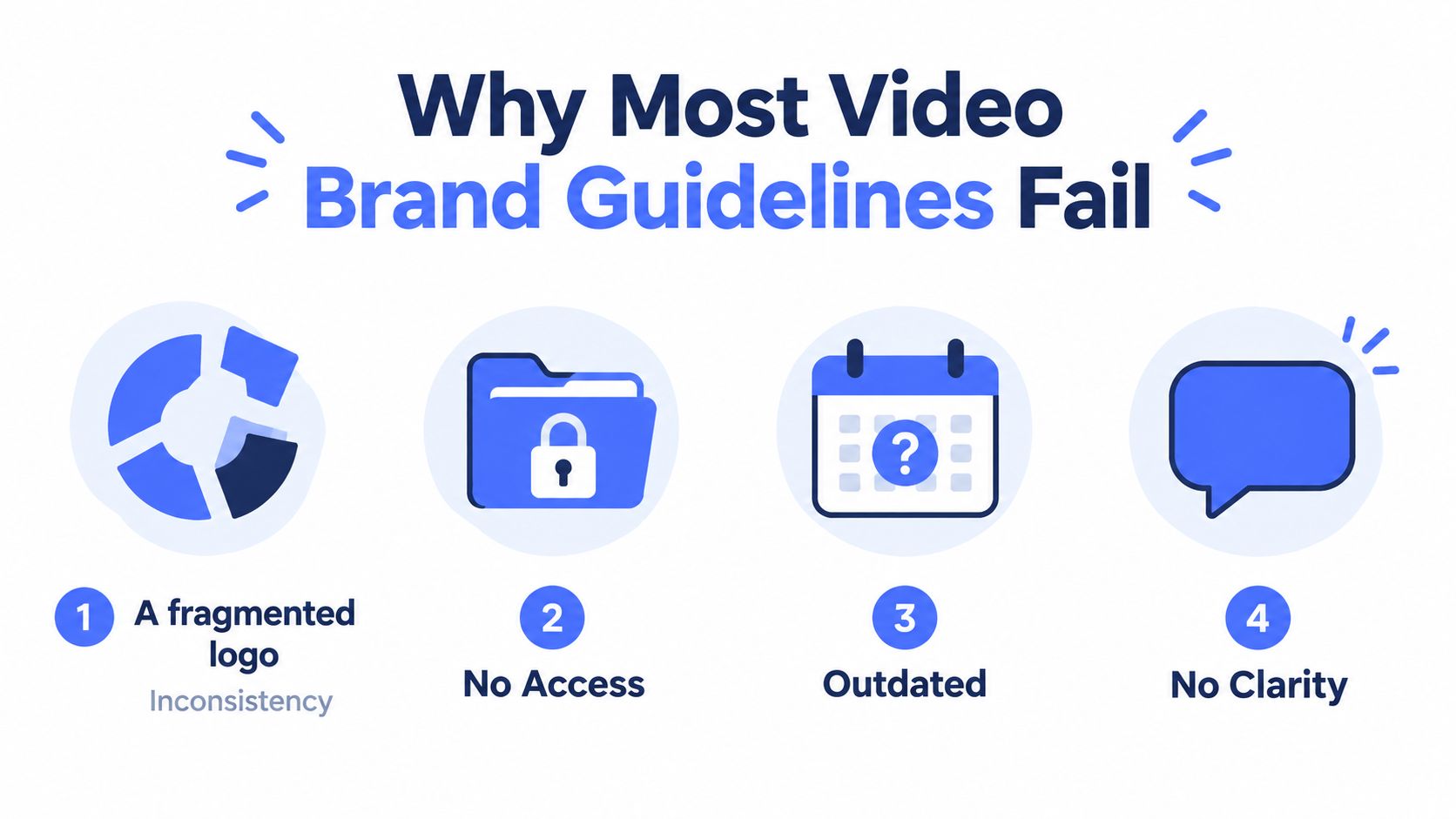
The first failure is ownership. A static PDF can define colors and fonts, but it can't decide whether a regional agency may alter a motion transition or whether a new social template replaces the approved one. Without a named owner, nobody maintains the rules, resolves conflicts, or removes outdated assets.
The second failure is visual bias. Many guides explain typography and logo placement in detail, then say almost nothing about motion behavior. Editors are left to invent pacing, transitions, framing, kinetic type, and end-card timing. The result may look correct in a still frame while feeling completely unrelated in motion.
The third failure is channel blindness. A 16:9 master doesn't automatically work in 9:16, and a sound-dependent narrative doesn't automatically work when playback is muted. The University of California video brand guide identifies the first five seconds as the most critical window, a useful reminder that brand decisions must survive the opening moment, not just the final frame.
Replace the style deck with an operating manual
Your guide should answer four production questions:
What must remain consistent? Define core tokens such as logo construction, color values, type hierarchy, caption treatment, voice, and sonic identity.
What can change by channel? Document approved adaptations for aspect ratio, pacing, safe zones, thumbnails, end cards, and audio behavior.
Who makes the decision? Assign a brand steward and name the reviewers for creative, legal, accessibility, media, and regional exceptions.
What blocks publication? Turn rules into checkpoints an editor can verify before delivery.
A 2026 branding survey found that only 30% of companies have guidelines that are widely used and recognized across the organization, while 15% have no guidelines at all (Capital One Shopping branding statistics). The issue isn't a lack of brand thinking. It's the gap between documentation and daily execution.
Treat the guide as a living production system. Give it an owner, connect it to templates and assets, and make compliance part of the approval gate. If a freelancer can't find the current logo package or an editor can't tell which motion rule is mandatory, the guide has already failed.
The Four Pillars Every Video Guidelines Document Must Cover
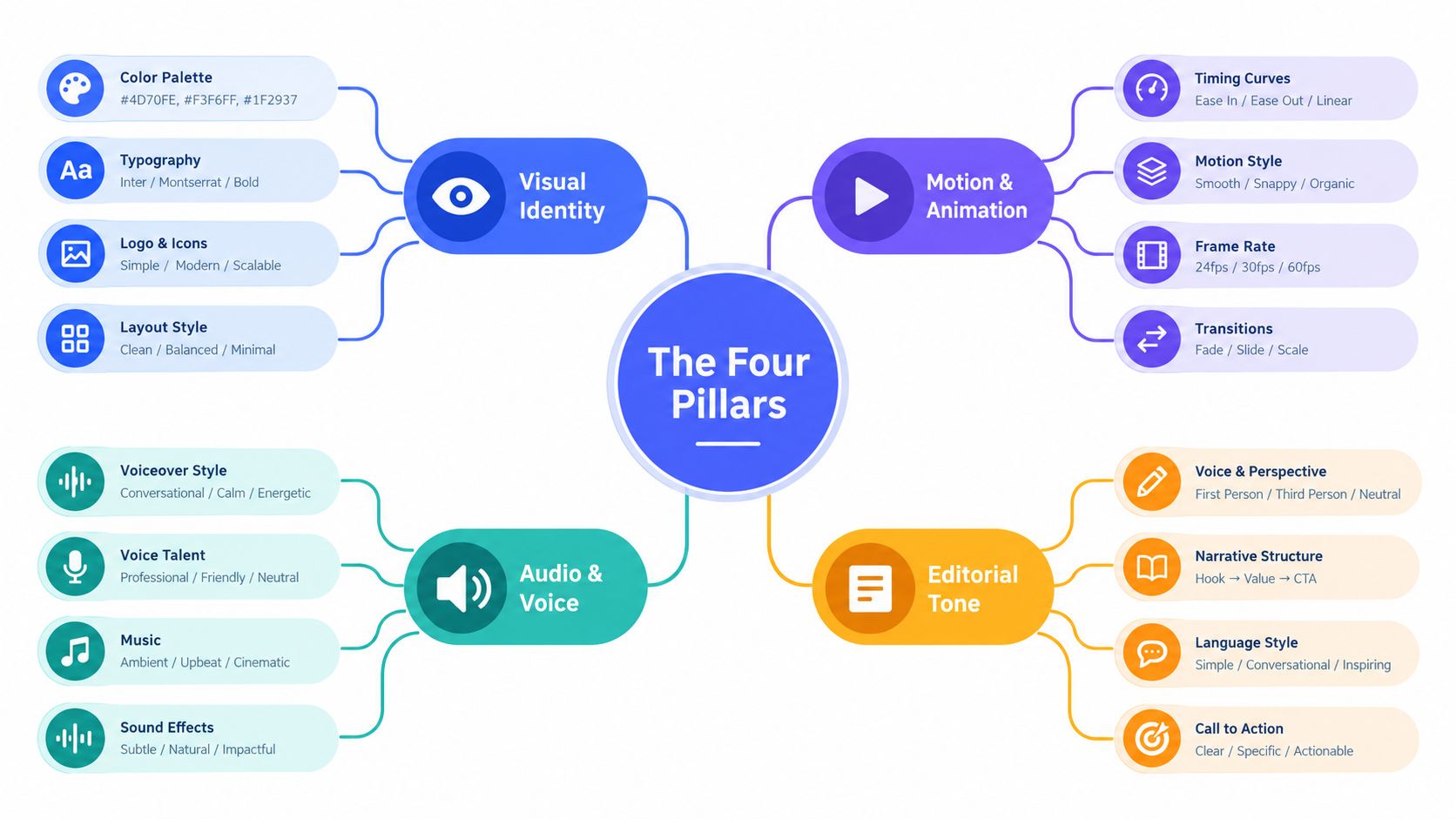
A reliable video system rests on four connected pillars: visual identity, motion and animation, audio and voice, and editorial tone. Keep them in one living document. Separate decks create separate interpretations, especially when a campaign moves from brand to performance teams.
Visual identity
Document the tokens an editor can apply without asking a designer:
Primary and secondary colors with exact hex values, contrast guidance, and permitted combinations.
Type pairings, weights, line spacing, and on-screen hierarchy for headlines, supporting copy, captions, supers, and legal text.
Logo variants, animation behavior, minimum size, clear space, and approved placement by aspect ratio.
Image direction, including lighting, composition, subject distance, texture, and treatment of user-generated footage.
Don't write “use the logo tastefully.” Show approved examples and unacceptable uses. A frame-by-frame example is more useful than a paragraph of brand philosophy.
Motion and animation
Motion is where video identity becomes recognizable. Define whether transitions feel eased, elastic, abrupt, restrained, or energetic. Specify the approved movement logic for reveals, wipes, type entrances, logo animation, camera movement, and graphic accents.
Include practical guidance on timing ranges, but distinguish required behavior from creative latitude. An editor may choose between two approved transitions, but shouldn't invent a third because the brief says “dynamic.”
Audio and voice
Set rules for microphone capture, room noise, music beds, sound effects, voiceover performance, and sonic signatures. The University of California production guidance recommends a lavalier or overhead shotgun microphone instead of a camera's internal microphone, recording in a quiet environment, and monitoring with headphones.
Define the voice archetype through examples. “Confident” is weak guidance. “Use short sentences, direct verbs, calm emphasis, and no exaggerated claims” gives a speaker and editor something usable.
Editorial tone and captions
Tone controls the story, not just the words. State how videos open, how quickly they establish the problem, whether humor is allowed, and how calls to action should sound. Caption styling belongs here and in the technical appendix. Specify font, size, line length, background treatment, animation, speaker labels, and safe placement.
Separate expression tokens from restriction tokens. Expression tokens describe what the brand should do. Restriction tokens identify what it must never do. Editors need both.
Technical Specs, Aspect Ratios, and Production Checkpoints
The technical appendix turns principles into gates. Start with a high-resolution master, then define how that master becomes each approved deliverable. Capture at 4K UHD or higher when the production budget and source material support it, and preserve enough framing flexibility for horizontal, square, and vertical crops.
Your specification should cover the following:
Aspect ratios: Define 16:9, 9:16, 1:1, and 4:5 versions, with a separate crop plan rather than an automatic resize.
Frame rate: Match the source unless the creative requires a documented conversion.
Codec and bitrate: Set channel-specific export presets and prohibit editors from creating ad hoc delivery settings.
Audio: Establish peak and loudness targets in the delivery specification, then verify them during QC.
Accessibility: Provide caption templates, contrast requirements, speaker-label rules, and safe-area overlays.
Graphics: Lock lower-third, watermark, end-card, and logo placement for every frame shape.
Use platform requirements as a delivery reference, including this practical guide to TikTok ad specifications. Platform rules change, so store the current requirement beside the export preset instead of burying it in a general brand document.
Deliverable | Resolution & Codec | Audio Target | Brand Checkpoint |
|---|---|---|---|
16:9 master | Approved master resolution and delivery codec | Peak and loudness targets verified | Logo clear space, color tokens, lower-third placement |
9:16 social cut | Vertical resolution and channel-approved codec | Dialogue intelligible without relying on music | UI-safe captions, hook clarity, vertical logo treatment |
1:1 social cut | Square resolution and delivery codec | Voice and music checked independently | Center-safe framing, readable type, end-card visibility |
4:5 feed cut | Feed resolution and delivery codec | Captions and dialogue remain clear | Crop preserves subject, brand cue, and call to action |
Make every rule testable
A reviewer should be able to answer yes or no. Is the color pulled from the approved token library? Does the logo retain clear space? Can the captions be read against the footage? Does the first five seconds communicate the premise without requiring sound? Does the end card remain visible inside the platform's interface-safe area?
Name files with campaign, channel, aspect ratio, language, version, and approval status. Store masters, project files, captions, music licenses, fonts, and thumbnails in a versioned DAM. The final QC pass is the moment the guide becomes operational. Without it, your “rule” is only a suggestion.
Branding vs Performance on Silent Vertical Video
Strict branding can damage performance when it overwhelms the opening frame. A giant logo, dense product lockup, or branded animation that delays the premise may satisfy an internal checklist while giving viewers a reason to swipe. On silent vertical surfaces, readability and immediate context come before decorative brand repetition.
That doesn't mean hiding the brand. It means choosing cues that survive muted playback and constrained framing. Use a recognizable color block, a distinctive motion signature, a consistent caption hierarchy, and a logo treatment that appears early without taking over the screen. The ShipTeaser brand video guide is useful context for teams that need practical on-brand execution without requiring every contributor to be a designer.
Use this decision rule: the broader the targeting and the more expensive the impression, the more prominent the brand cue should be. As the audience becomes more familiar and the creative moves closer to conversion, reduce the visual load and let the product proof, offer, or demonstration lead.
Funnel Stage | Primary Surface | Brand Mark Timing | Motion Signature | Logo Treatment |
|---|---|---|---|---|
Awareness | Broad paid social, CTV, Shorts | Early, within the opening beat | Distinctive and easy to recognize | Clear but compact |
Consideration | Reels, TikTok, YouTube | Early or at the first proof point | Supports explanation and recall | Integrated with product or speaker |
Conversion | Retargeting and product-led placements | Near the proof, offer, or CTA | Restrained and fast | Small presence, stronger end card |
Retention | Owned channels and customer education | Context-dependent | Familiar and low-friction | Useful identifier, not the main event |
Build for mute first
Write the first visual sequence so the viewer understands the subject with audio disabled. Captions should carry the essential message, not every incidental word. Keep key text away from lower-screen interface zones. Current guidance notes that TikTok and Instagram Reels interfaces can cover roughly 20% to 25% of the lower screen area (Vidico's brand video examples guide), so your vertical templates need an explicit protected region.
Test three versions before standardizing the pattern: one with a prominent logo, one with a restrained logo, and one led by a visual brand signature. Judge them against the campaign objective. Recognition and completion are related goals, but they aren't the same goal.
Governance, Brand Stewards, and the Asset Library
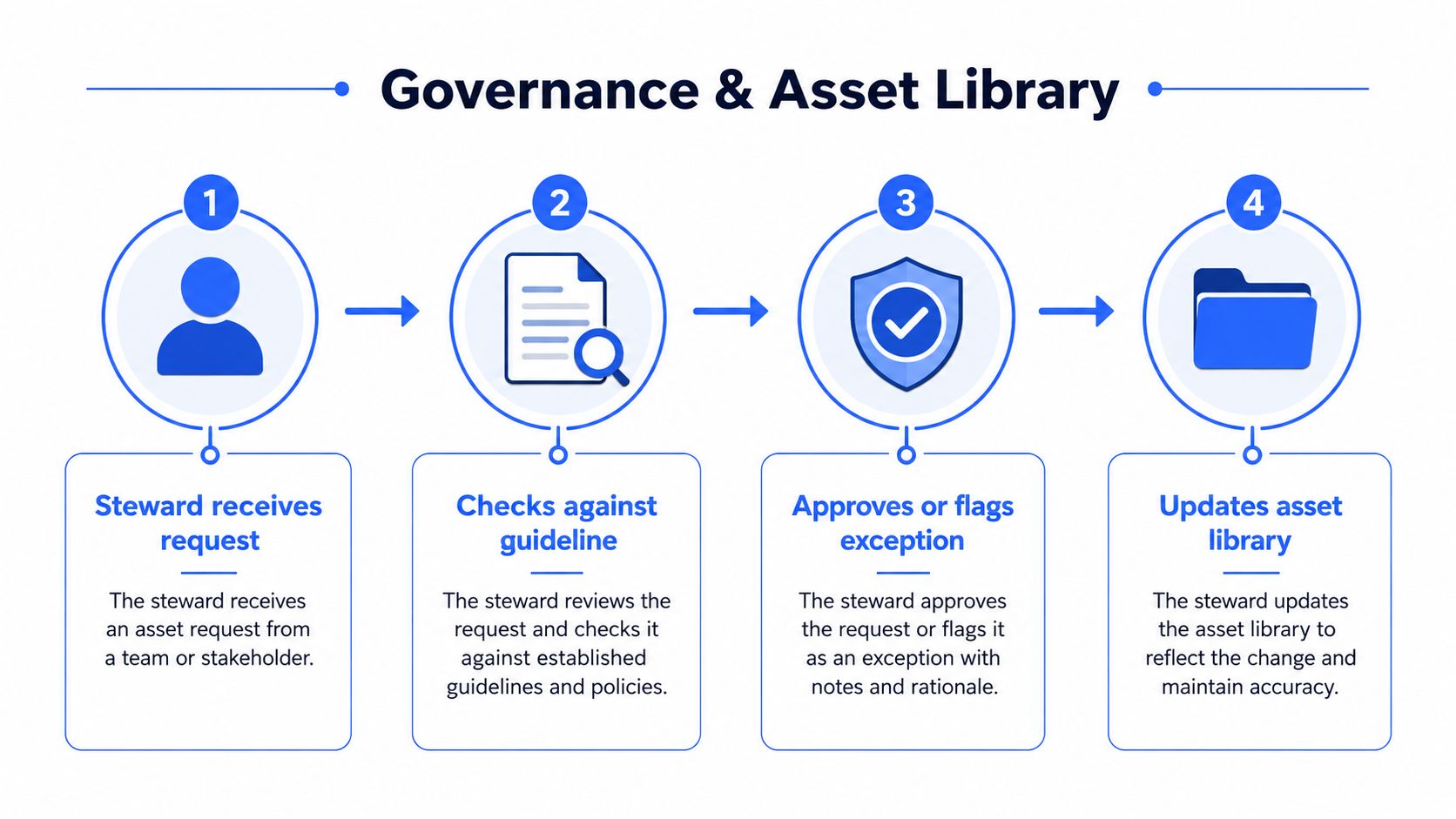
Governance is the work teams often try to skip. They approve the guide, announce it, and assume consistency will follow. It won't. A video system needs a brand steward who owns updates, reviews exceptions, trains contributors, and keeps the asset library aligned with the current rules.
The steward shouldn't become a bottleneck for every minor edit. Create review tiers:
Self-check: The editor verifies templates, captions, logo treatment, audio, and file naming.
Production review: A creative or channel lead checks story, motion, and platform adaptation.
Brand review: The steward reviews new expressions, exceptions, major campaigns, and partner work.
Escalation: Legal, accessibility, regional, or regulated-category reviewers handle issues outside the steward's authority.
Build the library for production speed
The asset library should contain versioned templates for 16:9, 9:16, and 1:1, locked lower-thirds, approved music stems, motion graphics packages, caption styles, end cards, thumbnails, fonts, and logo variants. Add machine-readable metadata for campaign, product, market, language, aspect ratio, owner, usage rights, and expiry.
A brand portal can also support teams managing specialized systems, including fashion brand consistency platforms, where many contributors and product variations make asset control difficult. The principle applies beyond fashion. Any organization with agencies, regions, or high-volume video needs searchable, permissioned assets rather than a shared folder full of ambiguous filenames.
Review exceptions without breaking the system
Regional teams and agencies need room to adapt, but every exception should record its reason, approver, market, expiration, and reusable learning. If an exception performs well, decide whether it becomes a new approved pattern. If it doesn't, retire it instead of allowing it to circulate as an unofficial precedent.
Use a quarterly review to remove expired templates, inspect recurring deviations, update platform-safe areas, and interview editors about friction. For a more detailed operational approach, see this guide to video asset management.
AI and LLM Video Production as a Brand Consistency Problem
Generative video doesn't remove governance. It multiplies the number of outputs that governance must evaluate. AI-assisted footage can drift in color grading, create unusable logo forms, produce an off-tone voice, or introduce motion that conflicts with the brand's established rhythm.
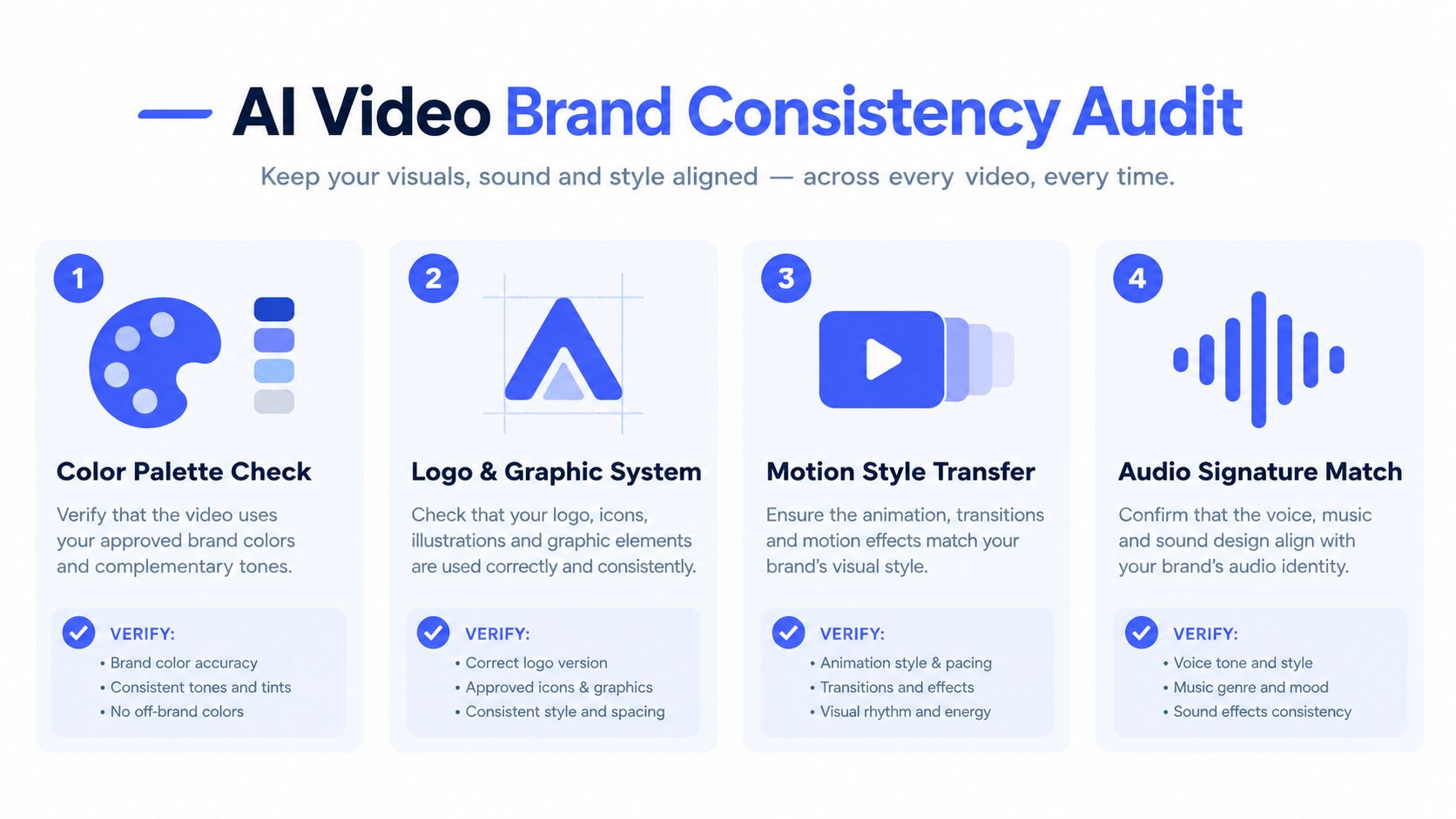
Write AI rules into the guideline before agencies make the tools part of their default workflow. Positive prompts should reference approved color tokens, framing, lighting, typography, pacing, and voice characteristics. Negative prompts should exclude unapproved logo distortions, colors, visual clichés, claims, gestures, and tonal behaviors.
Set the approval boundary
Use AI for low-risk work such as b-roll ideation, background exploration, localization drafts, and variant concepts. Require heightened review for product demonstrations, customer representations, executive likenesses, regulated claims, testimonials, and any content that could be mistaken for documentary footage.
Every AI-assisted segment needs a human review checkpoint. Compare it against a reference video library, inspect the color and graphic system, listen for voice and music mismatch, and label provenance internally so teams know which elements require additional scrutiny. An AI content SEO agency can help connect content governance with broader discoverability workflows, but brand approval still belongs with the brand team.
Add policy language that answers five questions:
Which tools are approved?
Which assets and likenesses may be used?
Which claims require human verification?
How must AI-generated or AI-modified segments be labeled?
Who can approve the final output?
Use the generative video models resource to understand the production implications of different tools, then translate those implications into your own permission rules. The guide should make clear that AI accelerates production only after the brand has defined what “on brand” means in machine-readable terms.
Rolling Out the System and Proving It Is Working
Don't launch a hundred-page manual across every channel at once. Run a controlled rollout that produces usable artifacts at each stage.
A practical 90-day sequence
Weeks 1 to 2: Audit existing YouTube, CTV, social, paid, and partner footage. Interview the people who brief, edit, approve, publish, and localize video. Produce a brand audit scorecard that records recurring failures in motion, sound, captions, framing, logos, and approval.
Weeks 3 to 6: Draft the four pillars and technical appendix. Test the rules against real edits, not hypothetical frames. Ratify the document with creative, brand, media, accessibility, legal, regional, and agency stakeholders.
Weeks 7 to 10: Build the asset library, version templates, assign permissions, and publish the review workflow. Appoint the brand steward and create the exception register.
Weeks 11 to 12: Pilot the system on one high-velocity channel. Fix confusing rules, slow approvals, missing assets, and failed crops before expanding to additional surfaces.
Measure operations and brand outcomes
Track brand recall lift, branded recall in the first three seconds, cross-channel share-of-voice consistency, approval cycle time, asset reuse rate, and cost per approved video. Pair outcome metrics with process metrics. If recall improves but approval time becomes unbearable, the system isn't scalable. If production gets faster while brand deviations increase, the guide is too permissive or the review gate is being bypassed.
Watch for early warning signs:
Bypassed approvals: Simplify the workflow and clarify which tier applies.
Expired templates: Assign an owner and expiry review to every production asset.
Steward burnout: Add trained delegates and reserve the steward for exceptions and system changes.
Agency freelancing: Put the current library and approval terms into the statement of work.
Repeated editor questions: Rewrite the rule with examples, not more abstract language.
The best video brand guidelines don't make every video identical. They make the important decisions consistent, the acceptable variations obvious, and the approval path fast enough that teams can use it under pressure.
Busylike helps brands connect creative production, paid video advertising, and channel management across YouTube, CTV, and social, including the brand frameworks that keep video output aligned. Visit Busylike to discuss a practical video production system for your team.

